01
Find the right posts
Discover posts by keyword, deduplicate matches and watch work happen in the live automation preview.
Meet Botster · Mac & Windows
Social media marketing automation with Botster Super Intelligence app.Reddit, Facebook, X and Discord — together on Mac and Windows.
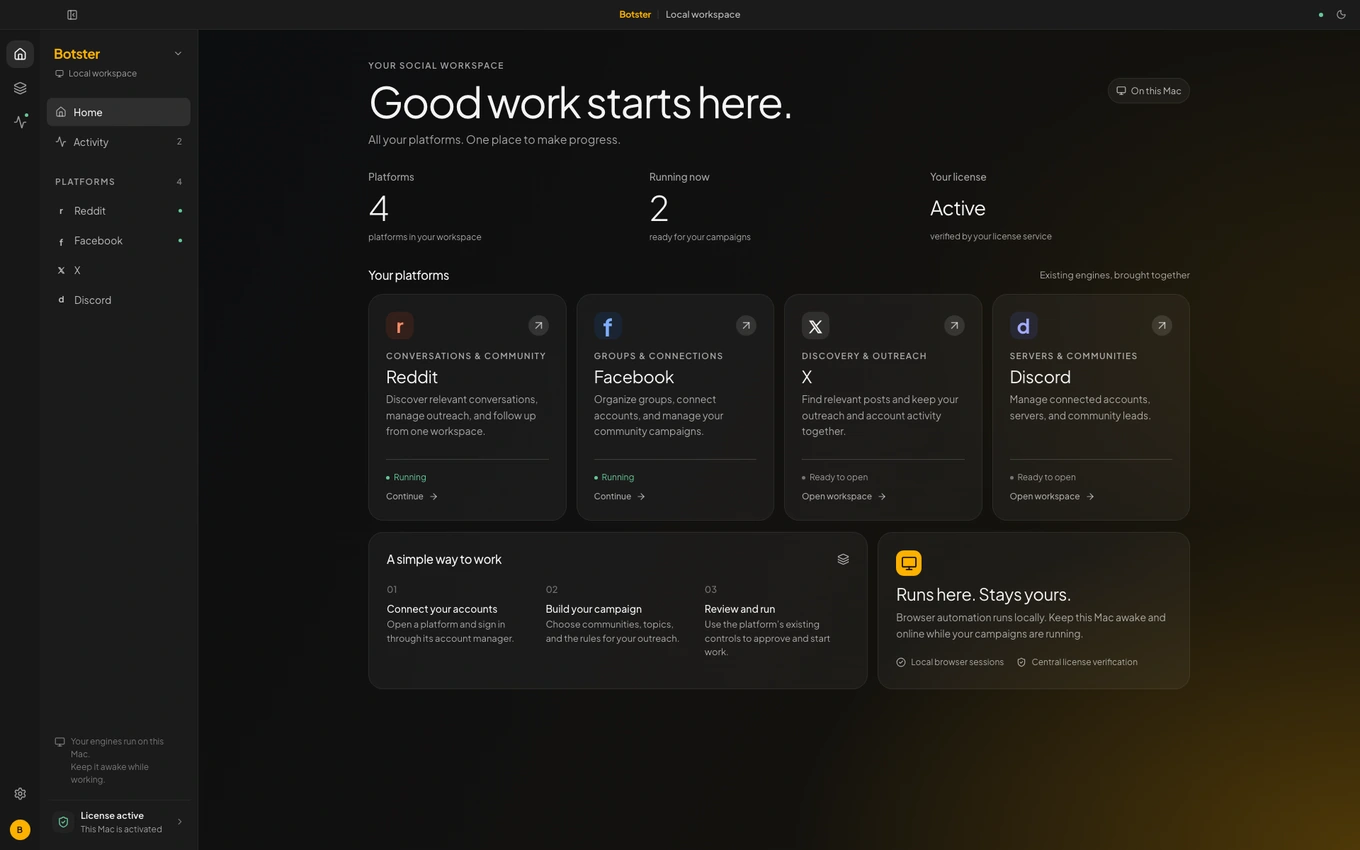
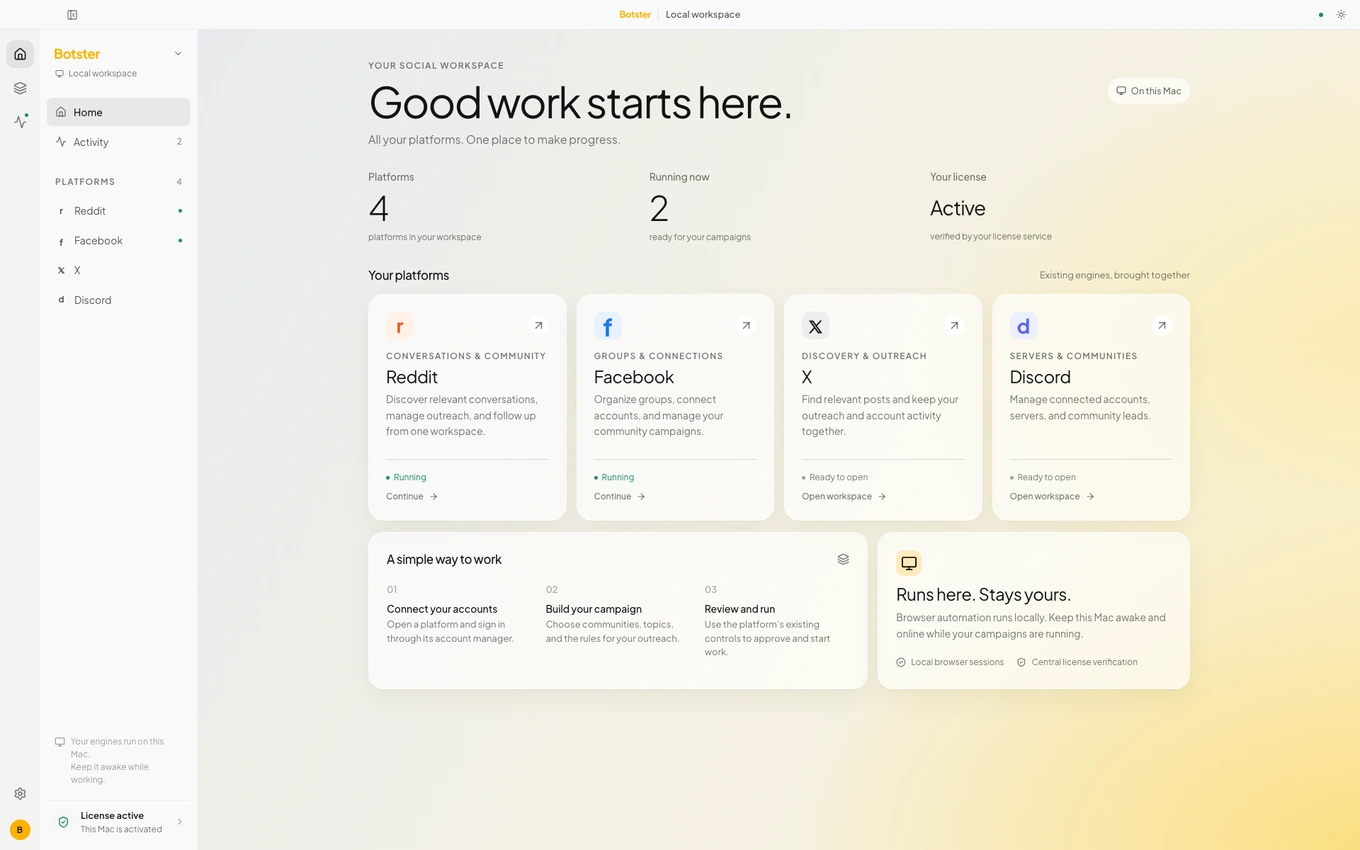
A look inside Botster · fictional demo workspace
How it works
Connect your accounts, give each workspace a clear direction and choose the work you want Botster to run. Your workspaces run locally on your computer.
Keep Reddit, Facebook, X and Discord in their own focused workspaces, with account status close by.
Set keywords, goals and tone. Connect your AI keys, then choose limits and the pace that fits your work.
Start and stop workspaces on demand. Watch live activity and review results while your computer stays awake and online.
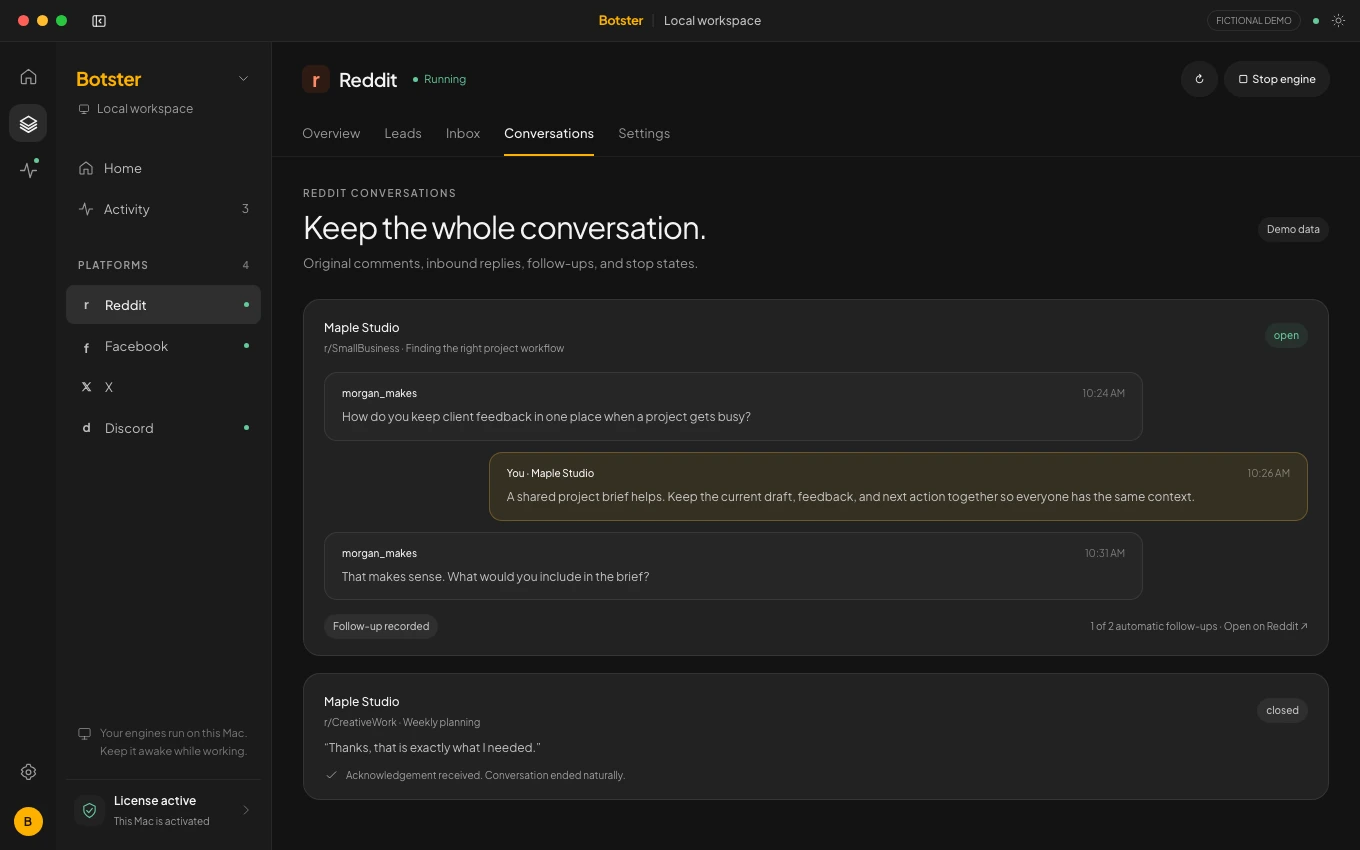
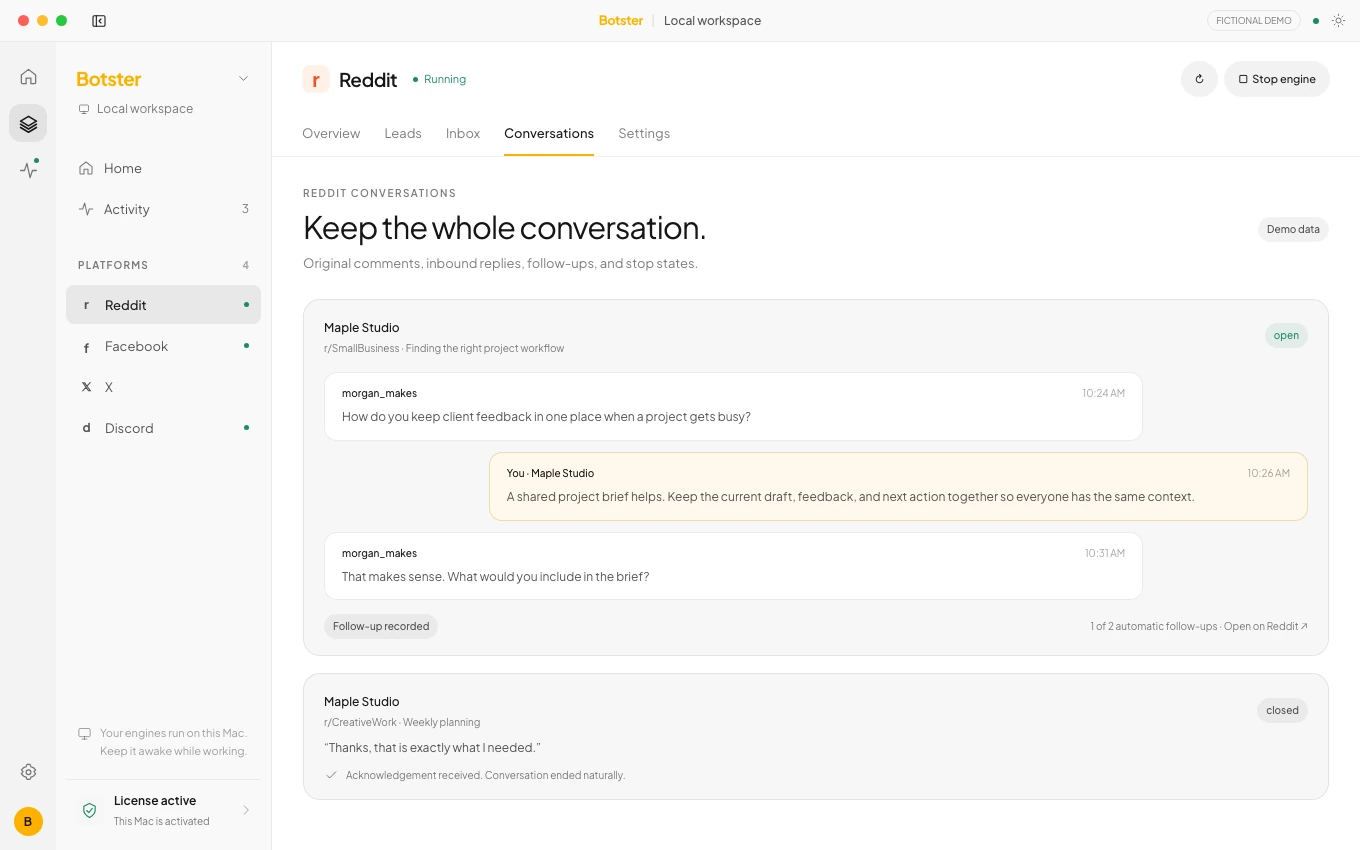
Find posts that match your keywords, generate helpful responses and keep the whole conversation in view — from the first reply to the follow-up.
Discover posts by keyword, deduplicate matches and watch work happen in the live automation preview.
Review replies, mentions, direct messages and moderator notices in the Reddit inbox, with a durable conversation timeline.
Enable up to two automatic follow-ups per conversation. Stop requests are respected; ambiguous events and DMs wait for review.
Bring group discovery, membership status, post matching and AI comments into one workspace. Keep the next sweep on your terms.
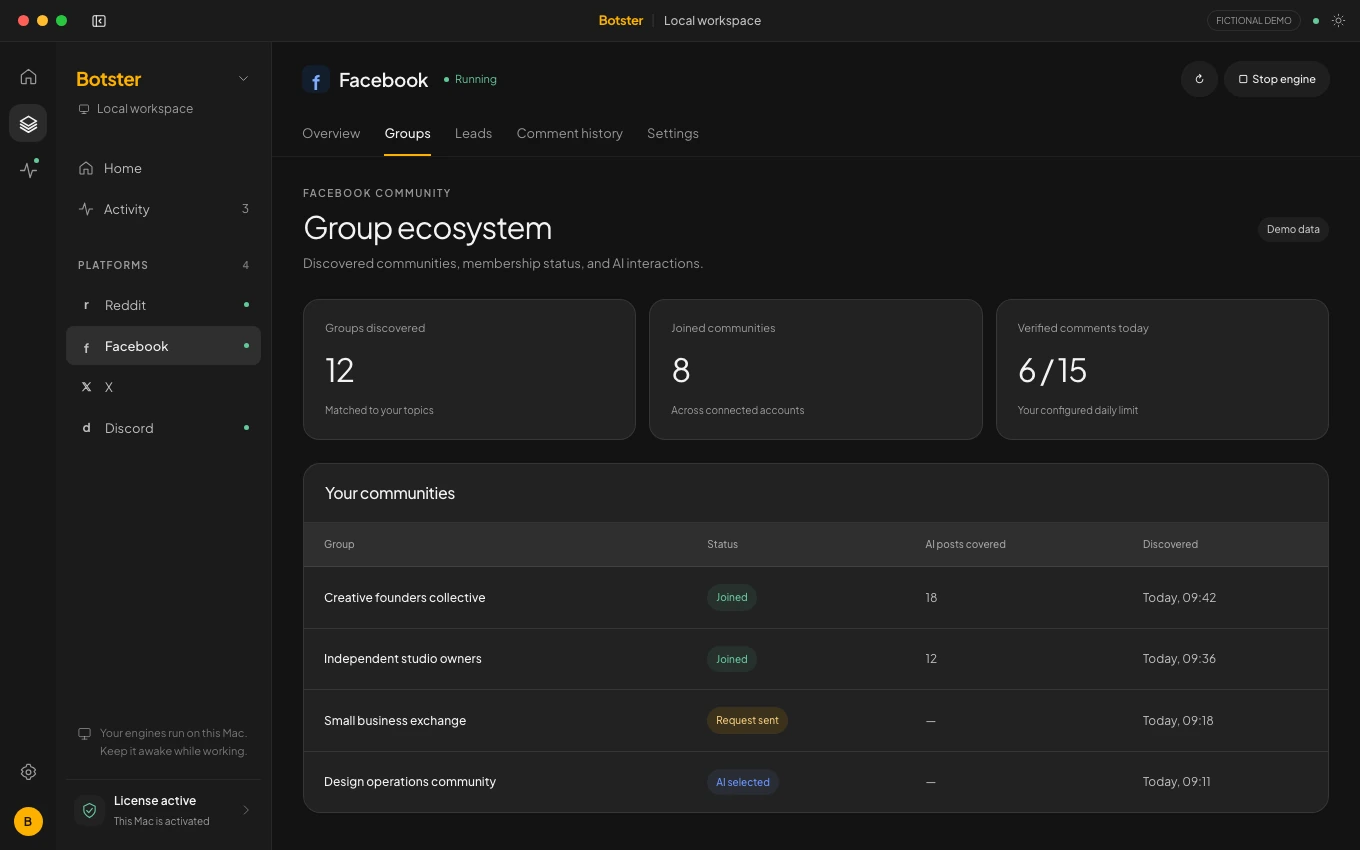
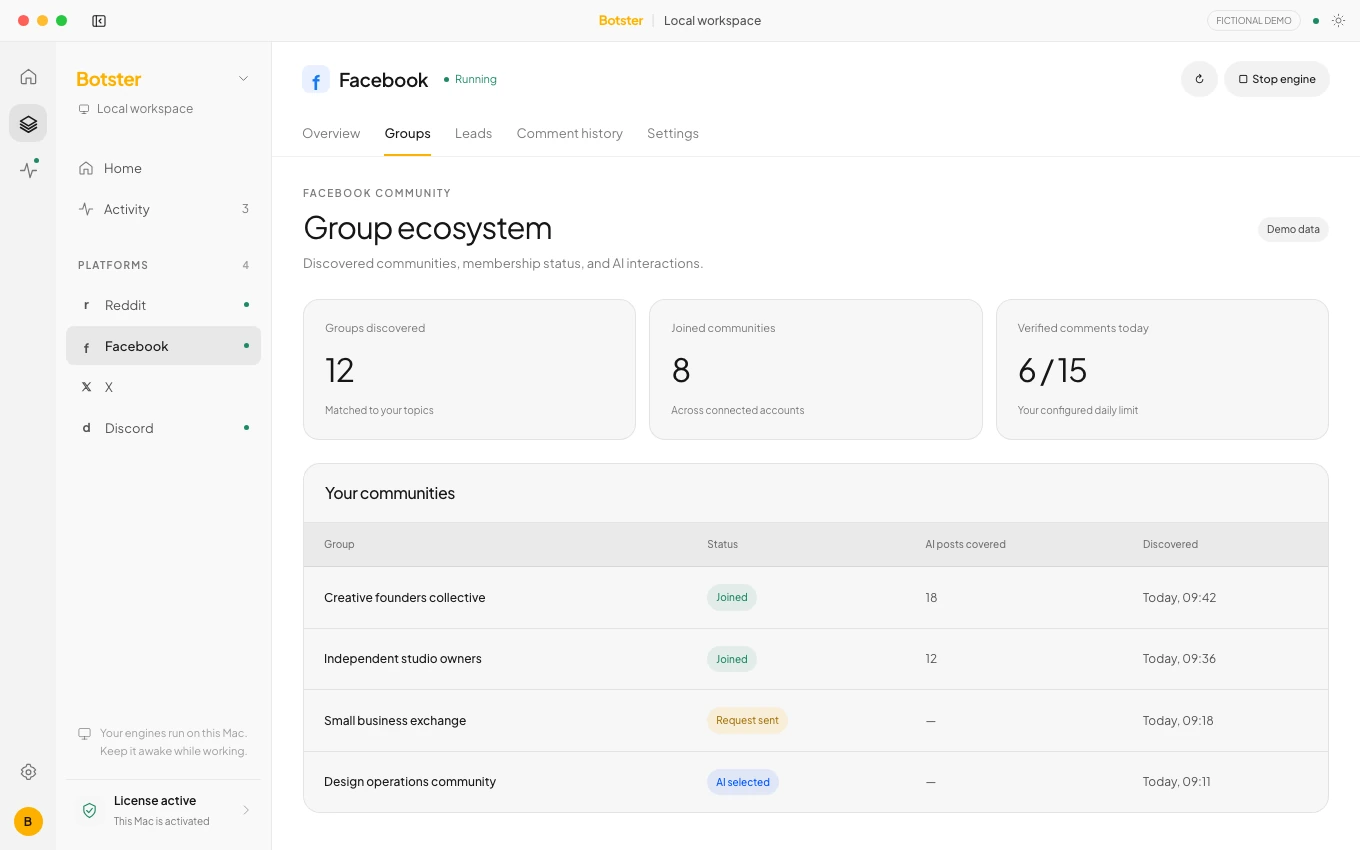
Find groups by keyword, request to join and track membership status in one place.
Scan joined-group feeds for your keywords, generate AI comments and follow the live preview.
Choose daily comment and join limits, repeat sweeps and a daily wake time. Review verified comments and interactions.
X
Follow the keywords that matter to your work. Let your chosen AI help with the response, then see the outcome in a clear, linked history.
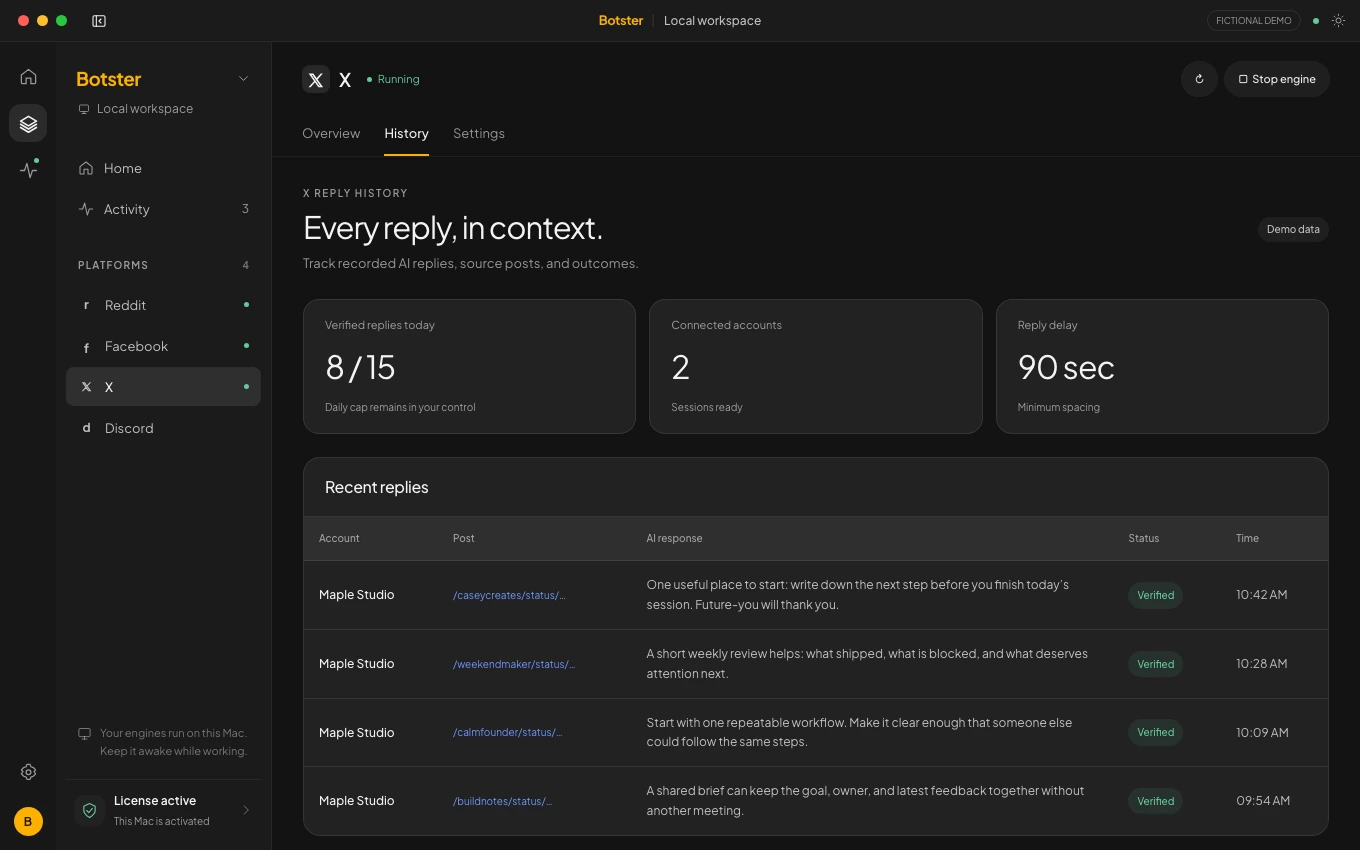
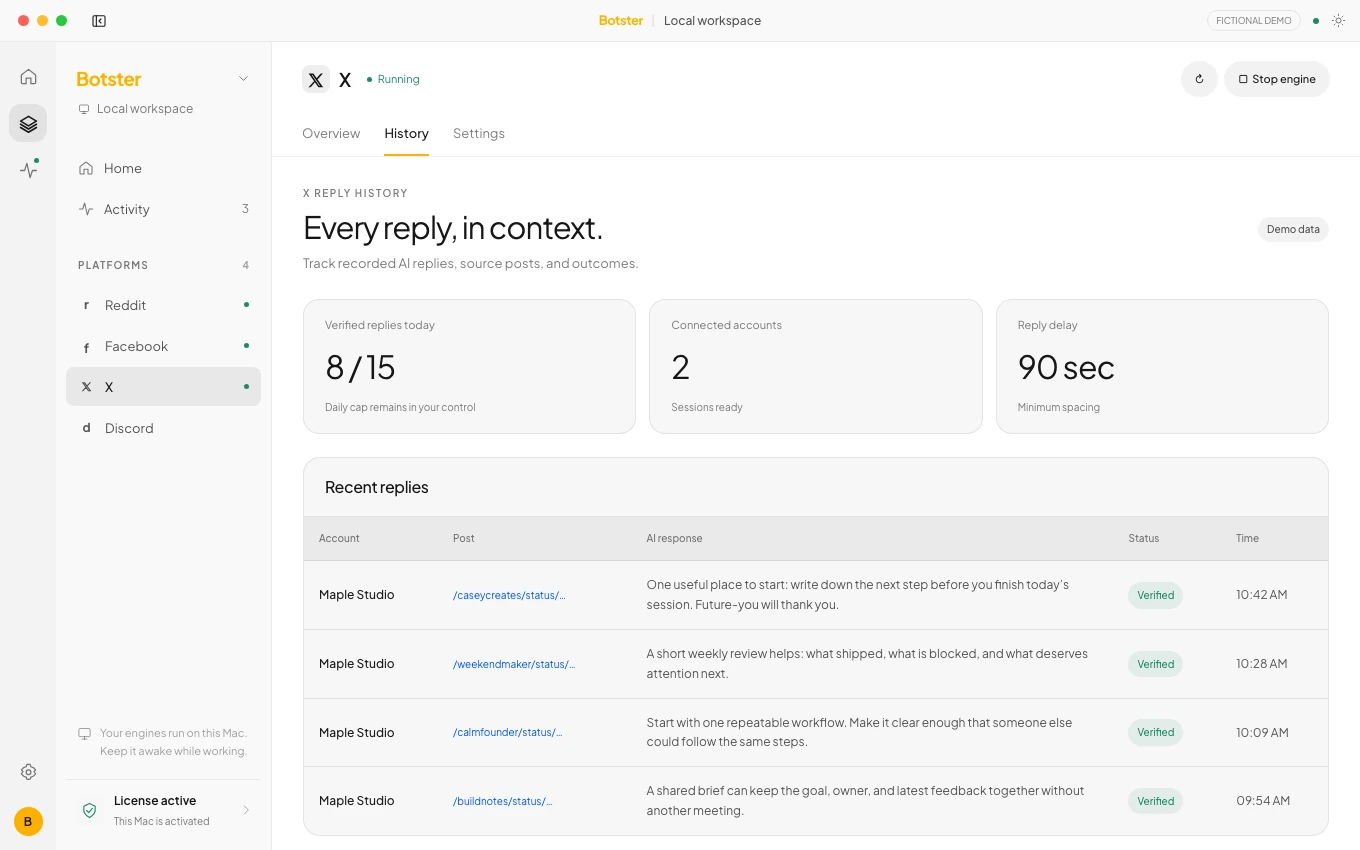
Find relevant posts and generate replies around the goals and tone you set for the workspace.
Open the original post from reply history. See statuses, timestamps and verified daily and total counts.
Check connected-account health, set a daily reply cap and choose the minimum delay between replies.
Discord
Scout collects leads, with optional AI qualification. Messenger handles the conversations you choose to pursue. Run them independently, with room to step in yourself.
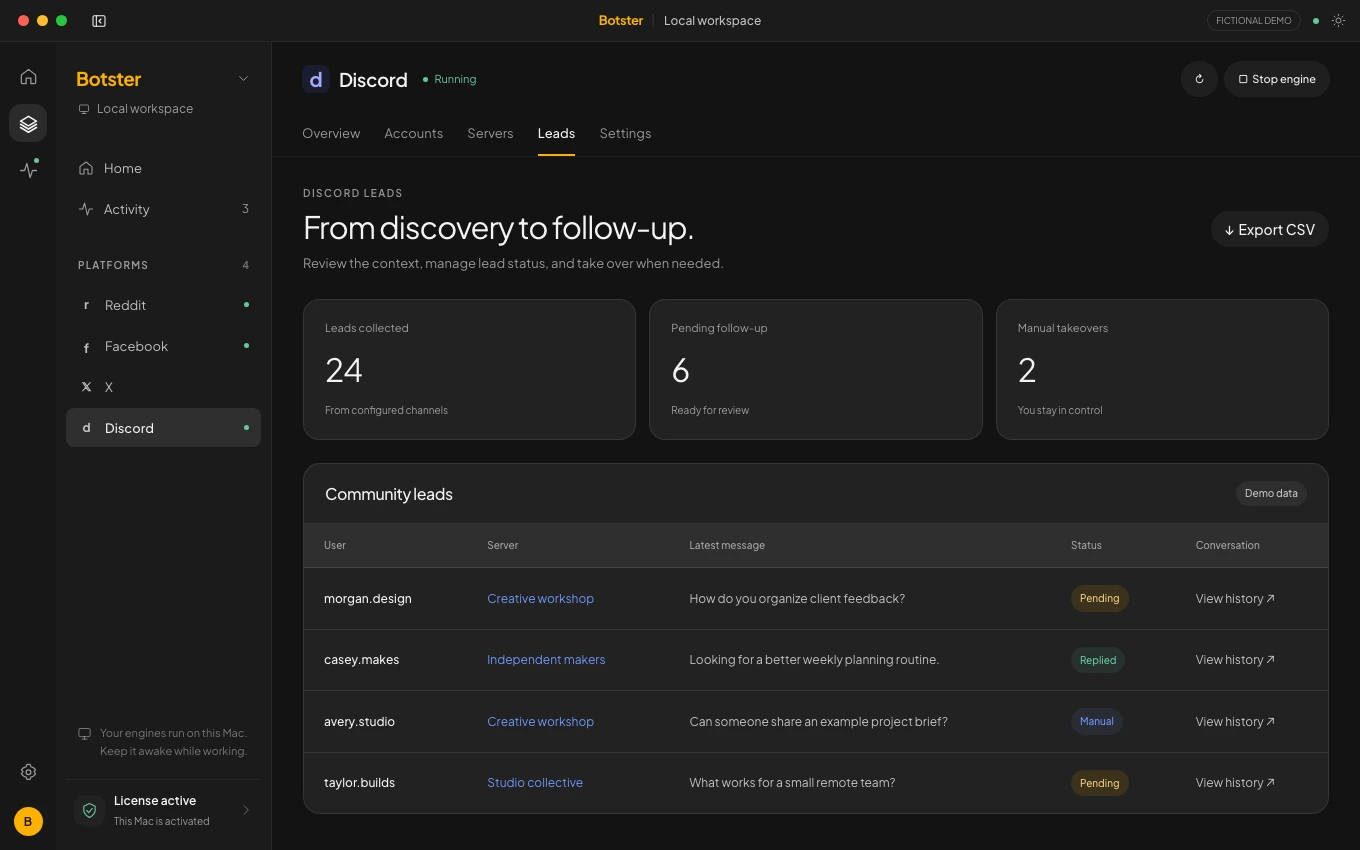
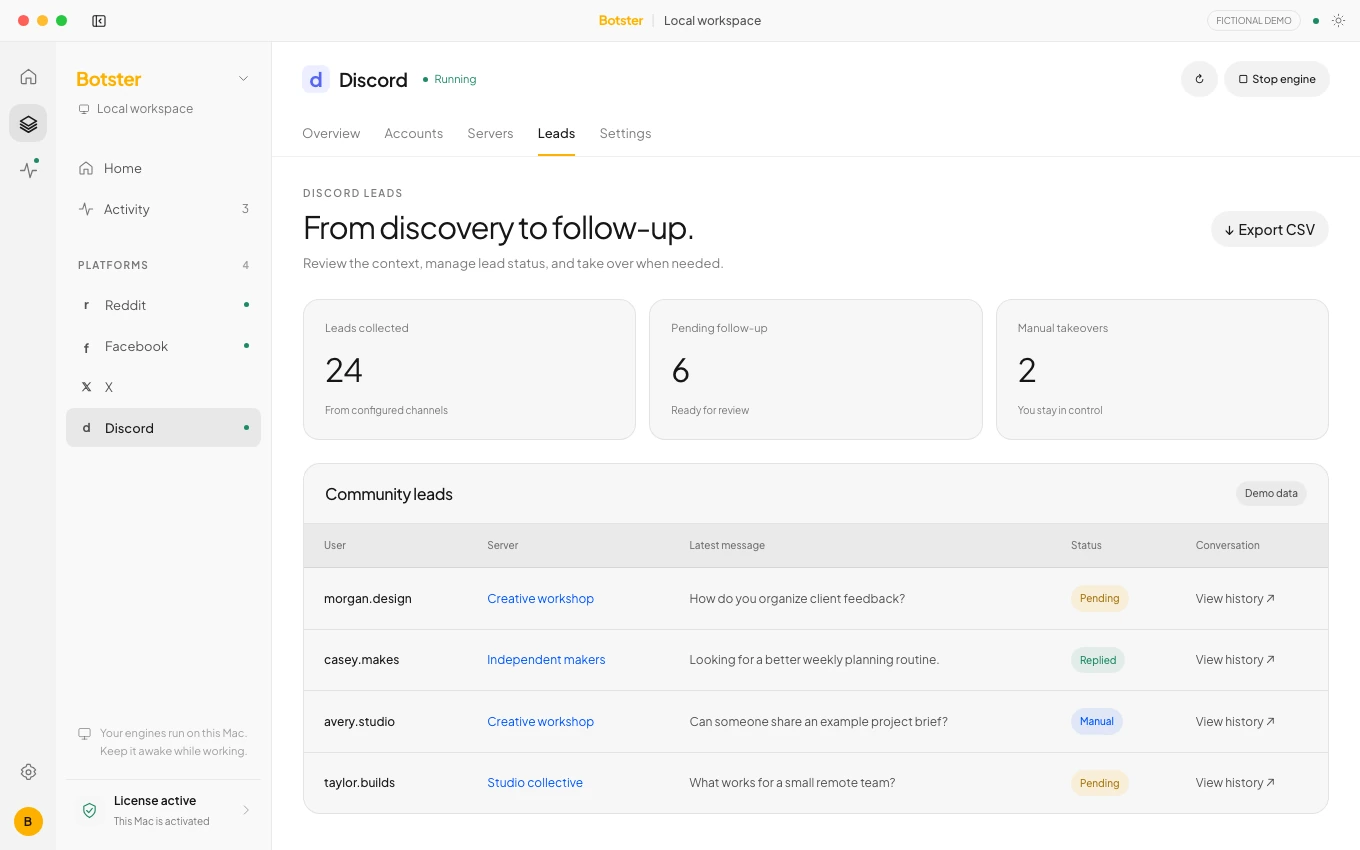
Collect leads independently of messaging. Use keyword matching and optional AI qualification, with one to seven days of history.
Discover servers and channels automatically or choose exact targets. Inspect view and send access and observed link policies.
Use public replies, DMs or reply-only mode. Take over a lead manually, export a CSV or hit the emergency stop.
Your AI
Connect the AI services you use and give them direction. Botster keeps the provider choice, model and response style in your hands.
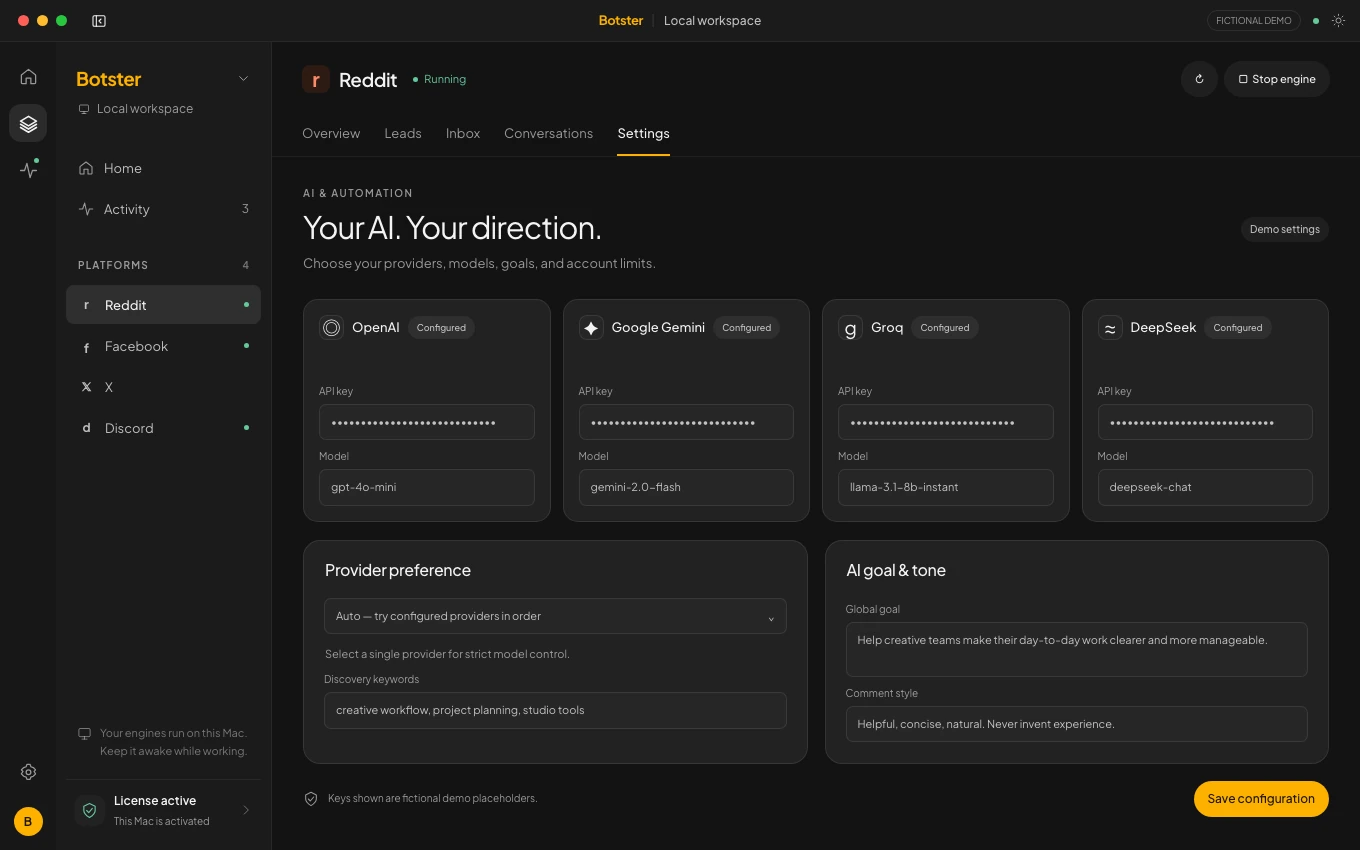
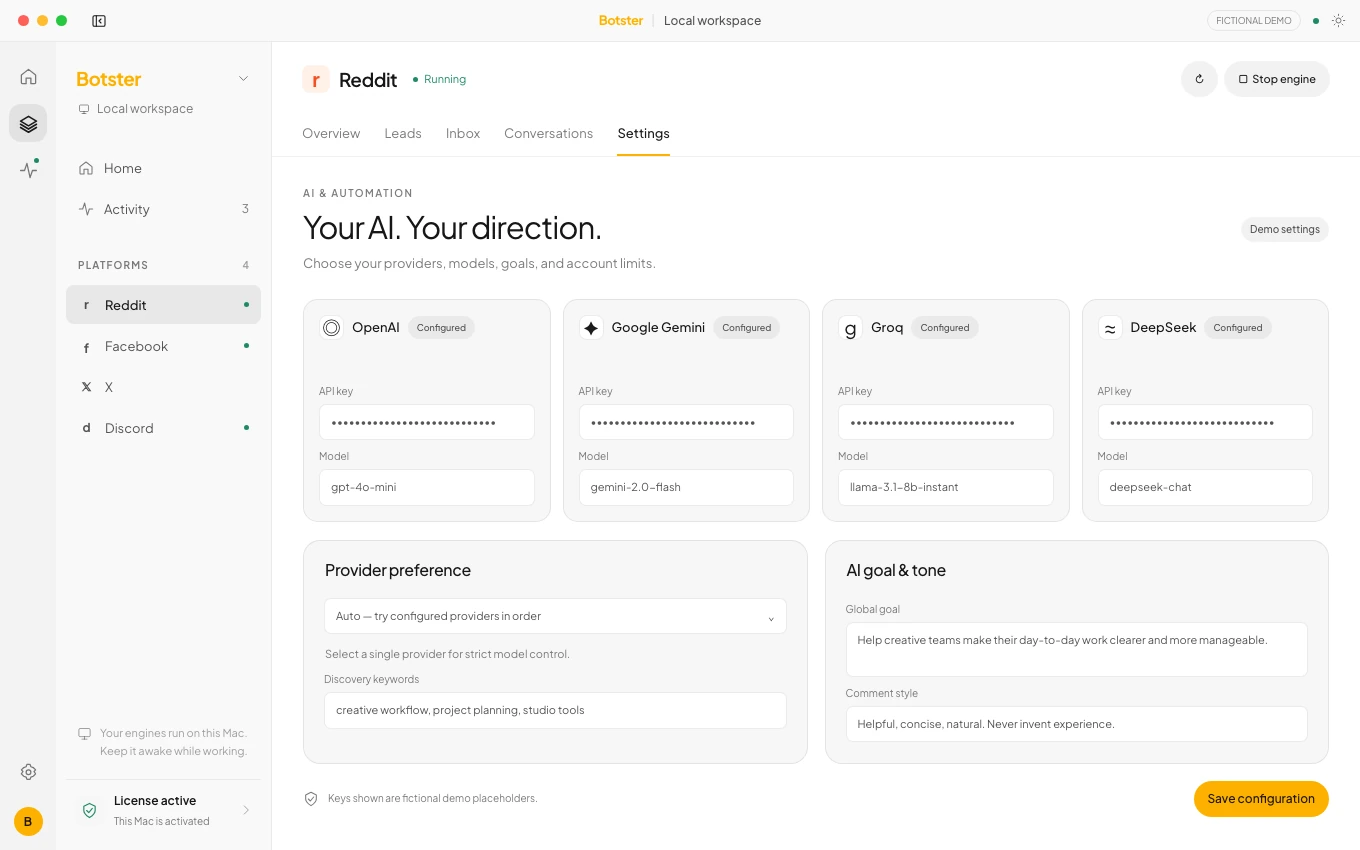
Connect OpenAI, Gemini, Groq or DeepSeek using your own API keys and configurable model IDs.
Let Botster fall back between configured providers, or keep a workspace on your strictly selected provider.
Give your workspace a clear goal and a tone. Those settings guide the AI responses Botster generates.
In control
Useful automation needs visible boundaries. Set the pace, check the outcome and keep the controls beside the work.
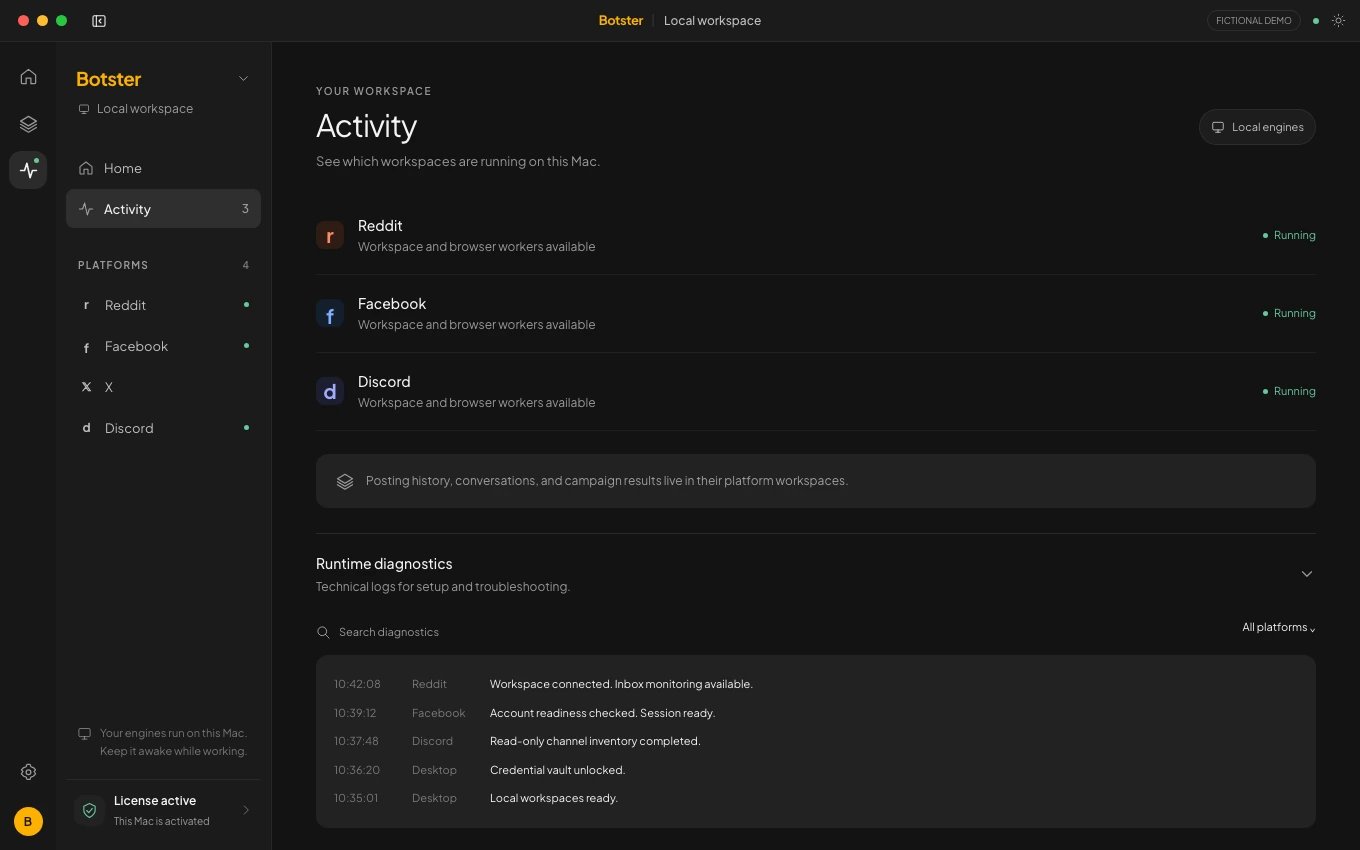
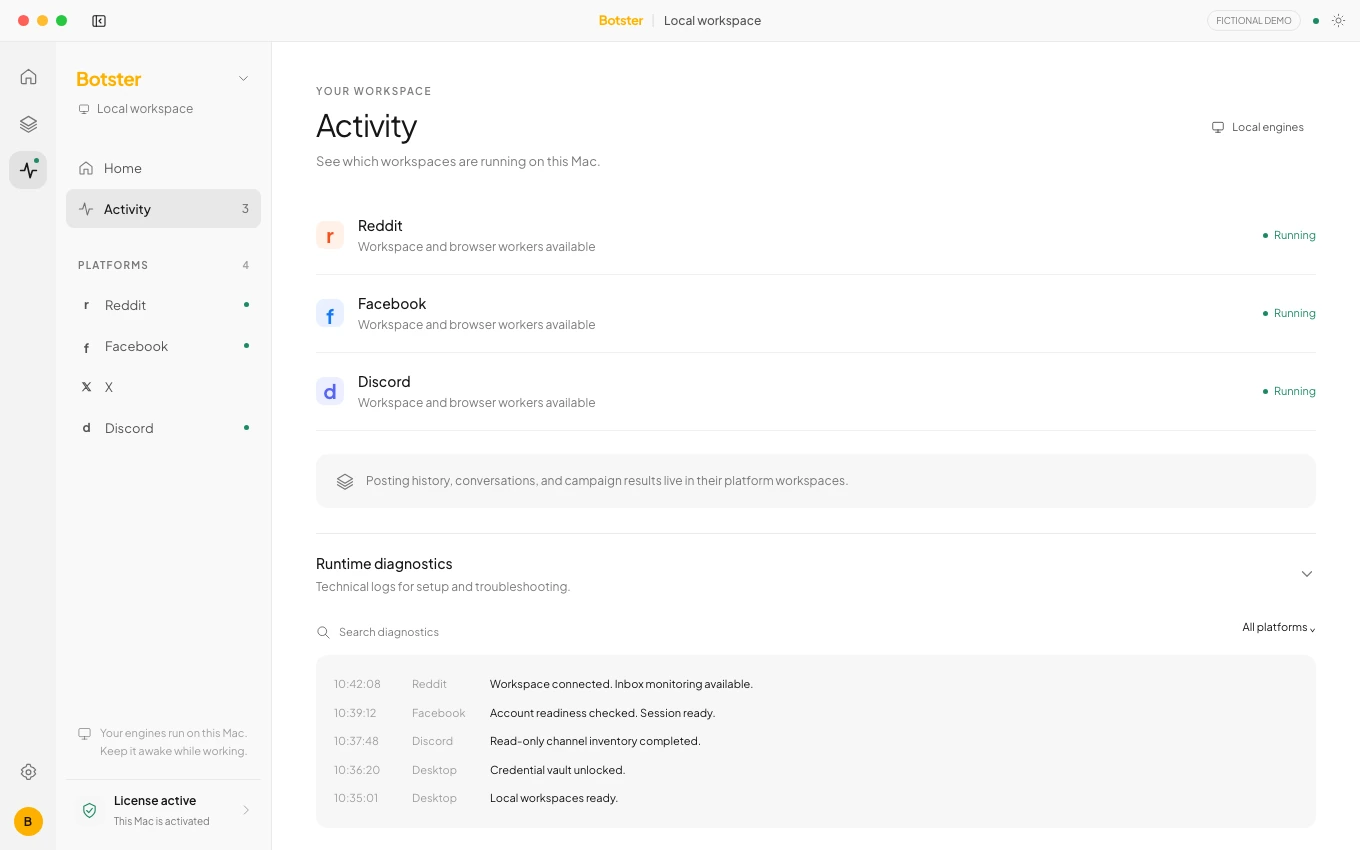
Run each local workspace when you need it. The dashboard keeps engine state and account readiness visible.
Set daily limits, delays and account timezones. Reddit supports an 08:00–20:00 window or an all-day option.
Authentication and security issues pause work. Reddit moderator notices can pause a community for review.
Your desktop workspaces use local sessions and encrypted credential storage. Keep your computer awake and online to run.
Inspect response history and verified, generated, unverified or failed states where supported, instead of guessing what happened.
Light, dark and system themes, multiple connected accounts, license activation and diagnostics export are built in.
Questions
A closer look at Botster, the desktop app and this product preview.
Botster is a desktop app for Mac and Windows with focused Reddit, Facebook, X and Discord workspaces. It helps you discover relevant conversations, generate replies with your chosen AI provider and review activity while keeping account controls in one place.
Botster is available for Mac and Windows. This website is a product preview; public download links and pricing details will be added here.
Workspaces run locally. Your computer must stay awake and connected to the internet for discovery and automation to continue. Each workspace has its own start and stop controls.
Connect your own OpenAI, Gemini, Groq or DeepSeek API keys and choose model IDs. Botster supports automatic provider fallback or a strict selected provider, with configurable goals and tone. AI requests are sent to the provider you configure.
Reddit brings keyword discovery, response history and conversation follow-ups together. Facebook combines group discovery and keyword-based commenting. X helps find posts and manage AI replies. Discord separates lead discovery from messaging so you can qualify leads, export them or take over manually.
Explore the workspacesChoose your accounts, limits, delays and workspace settings, then start or stop the work you want to run. Botster exposes run status and history, pauses for authentication or security issues, and provides review states and manual takeover where supported.
See the controlsNo. Every screenshot on this site uses a fictional demo workspace. Names, posts, messages, account activity and results are examples created to show the interface.
This preview website has no sign-in, payment form or analytics tracker. It keeps your appearance choice, announcement dismissal and reading position in your browser. Connected accounts and AI keys are configured in the desktop app, not on this page.

Botster for Mac & Windows
Four focused workspaces. Your own AI. The context and controls to keep moving. Public download and pricing details are coming soon.